iOS 1.8 est disponible · Import groupé, organisation du voyage et réglages par étape

Choisissez librement votre eSIM. Gérez chaque voyage avec sérénité.

Sans dépendance à une seule marque d’eSIM. Comparez les offres selon votre budget et votre itinéraire, puis utilisez eSIMManager pour regrouper cartes, informations d’activation et dates de validité. Les réglages, l’installation et l’usage réel restent déterminés par iOS et par le fournisseur.
Local d’abord · sans cloud propriétaire Aucune inscription requise iOS 17.4+ ; installation système dès 17.5
🟢 In-App Conditioning · Expiration Countdown
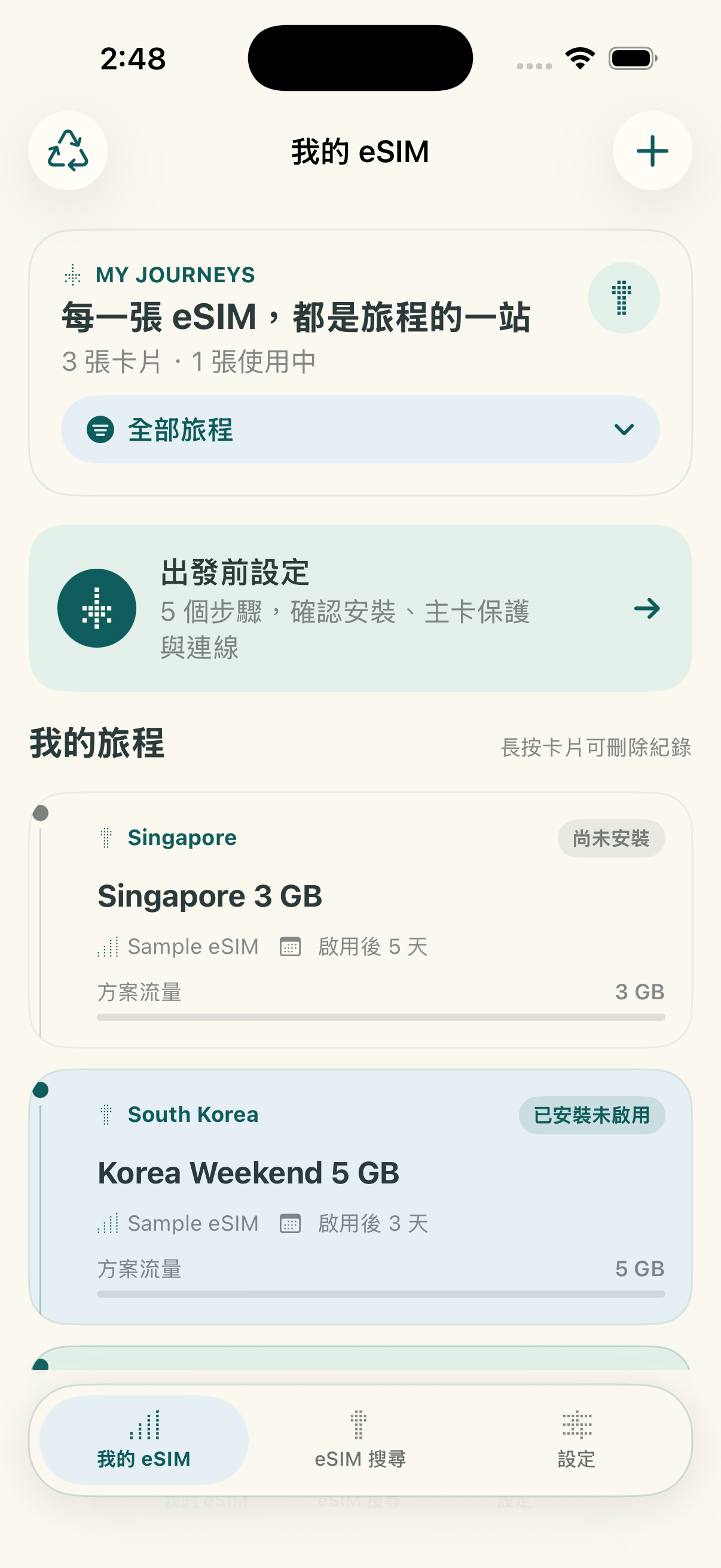
Écran d’accueil eSIMManager iOS 1.8
🔒 Optional Password Encrypted Backup
iOS 1.8

Importez plus vite, organisez mieux vos voyages

La version 1.8 est disponible sur l’App Store. Les fonctions essentielles de gestion restent gratuites. L’app inclut des publicités et un achat unique facultatif pour les supprimer définitivement, sans abonnement.

Liste de contrôle avant le départ, à l’arrivée et au retour

Vérifications par étape

Consultez les étapes utiles avant le départ, à l’arrivée et au retour. La liste mémorise vos confirmations, mais ne modifie pas les réglages de données mobiles ou d’itinérance de l’iPhone.
Écran d’import groupé de plusieurs codes QR

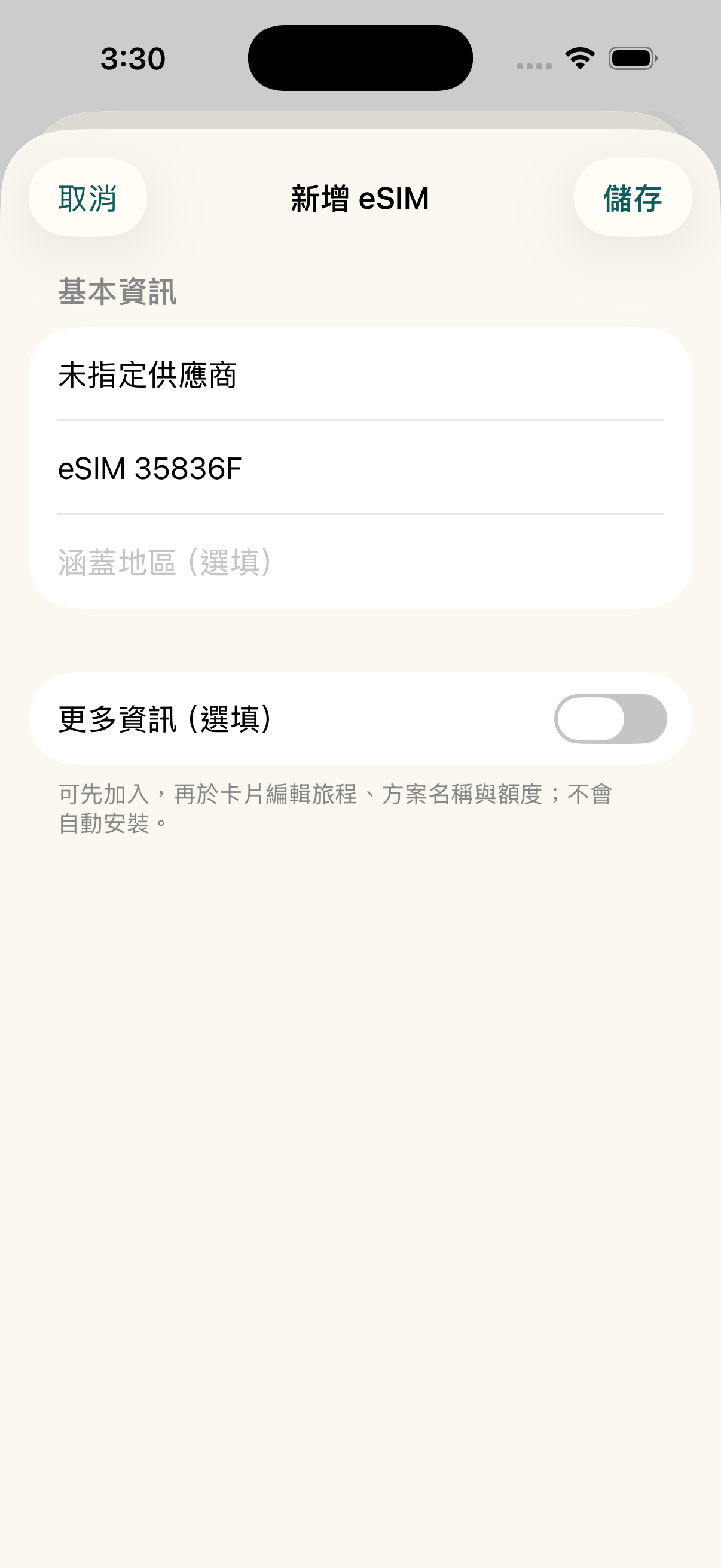
Import groupé et détection des doublons

Reconnaissez plusieurs codes QR eSIM depuis une image ou un PDF, choisissez les éléments utiles et vérifiez les doublons avant l’enregistrement.

Les annonces sont fournies par Google AdMob et dépendent de la validation de la plateforme et des disponibilités. L’absence d’annonce ne bloque aucune fonction de gestion. Apple affiche le prix local avant l’achat unique.

Android Early Access

Test fermé Android : la version complète offerte à la sortie

Merci de nous aider à lancer eSIMManager sur Android. Les premiers testeurs qui mènent à bien leur participation au test fermé recevront, après la sortie officielle, la version Android complète : toutes les fonctions de gestion actuelles et la suppression définitive des publicités.

1. Envoyez-nous par e-mail l’adresse du compte Google utilisé sur Google Play et attendez la confirmation de votre ajout à la liste. Ne publiez pas votre compte et ne transmettez jamais votre mot de passe. 2. Après confirmation, ouvrez le lien ci-dessous avec le même compte, choisissez de devenir testeur, puis installez l’application depuis Google Play. 3. Restez inscrit pendant au moins 14 jours consécutifs, essayez l’import QR, la gestion des cartes et la checklist avant départ, puis envoyez vos impressions ou problèmes par e-mail. Aucun avis positif n’est exigé.

Après la sortie, nous vérifierons les contributions et enverrons individuellement les instructions pour obtenir l’avantage. Aucun déblocage automatique par simple clic. Offre limitée à l’app Android, hors forfaits eSIM, avantages iOS et futurs services payants.

S’inscrire par e-mail Inscription confirmée ? Rejoindre Le test est actuellement réservé aux comptes dont le pays Google Play est Taïwan. Quittez d’abord le test interne si vous y participez, puis rejoignez le test fermé. Télécharger un APK, cliquer sur un lien ou figurer sur la liste ne suffit pas. mkjohnny@gmail.com
Engagements

Choisissez votre offre ; eSIMManager l’organise

No single supplier, no subscription thresholds, to help you organize dispersed travel eSIM information into a safe departure process.

Freedom to choose suppliers

Whether you get an eSIM from a travel platform, carrier, or other trusted outlet, you can organize the available activation information into an app. Offer prices, inventory, and service content will still be based on the vendor page you select.

Centralize multiple eSIMs

Keep the QR Code, LPA activation information, where applicable, expiration date, and memo in one place. Data is stored locally on your device; you can back up, share, or mark a trip as ended as needed.

Les fonctions essentielles restent gratuites

Le nombre de cartes n’est pas limité. Le guide d’installation, les vérifications avant départ, le compte à rebours et l’estimation locale de l’usage restent gratuits. La version 1.8 ajoute des publicités et un achat unique facultatif pour les supprimer. Les données mobiles et l’itinérance doivent toujours être confirmées dans iOS.

Aperçu des fonctions

Le parcours réel dans l’app

Explore the main workflows and usage limitations through screens from the released app.

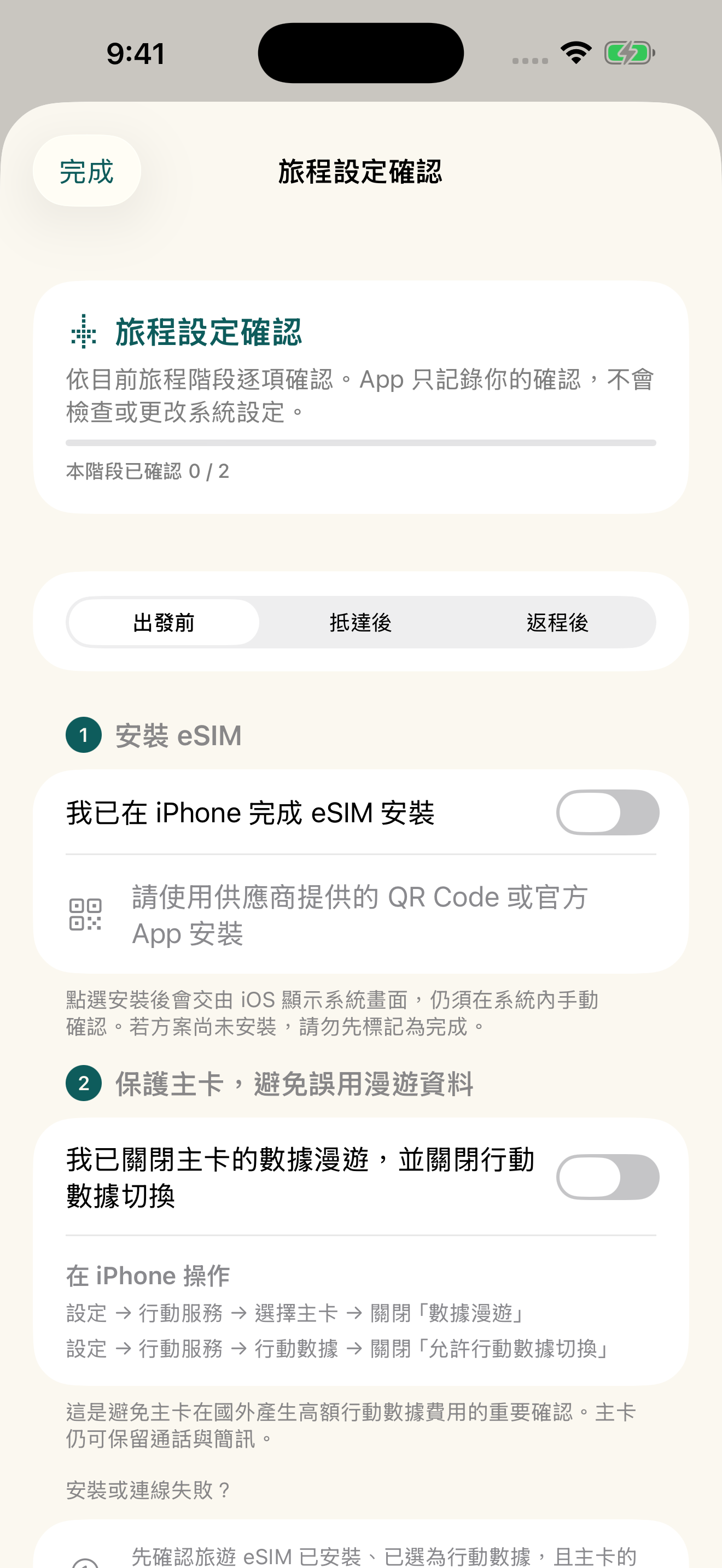
Préparation avant départ from the homepage

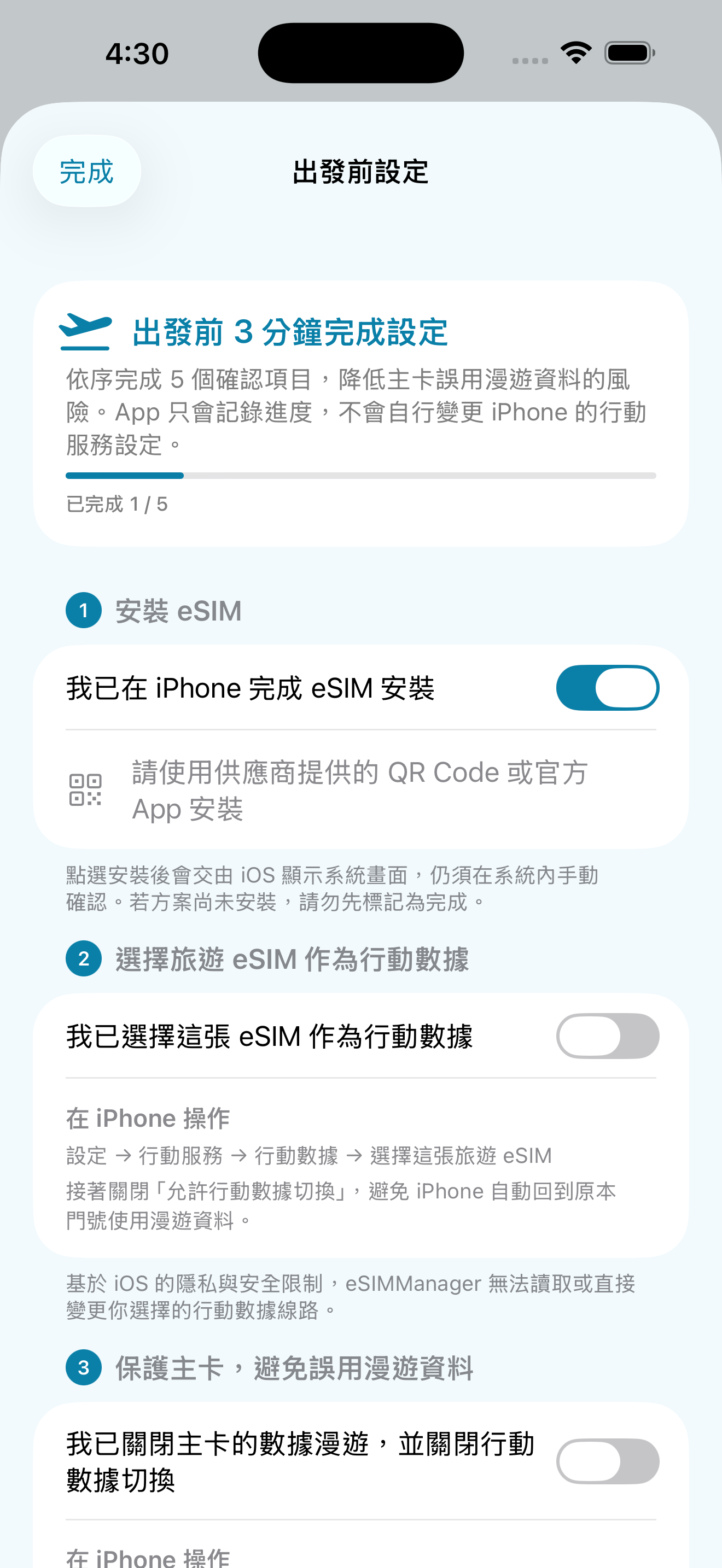
After creating a travel eSIM, the homepage provides a pre-departure portal for users to confirm important items in order.
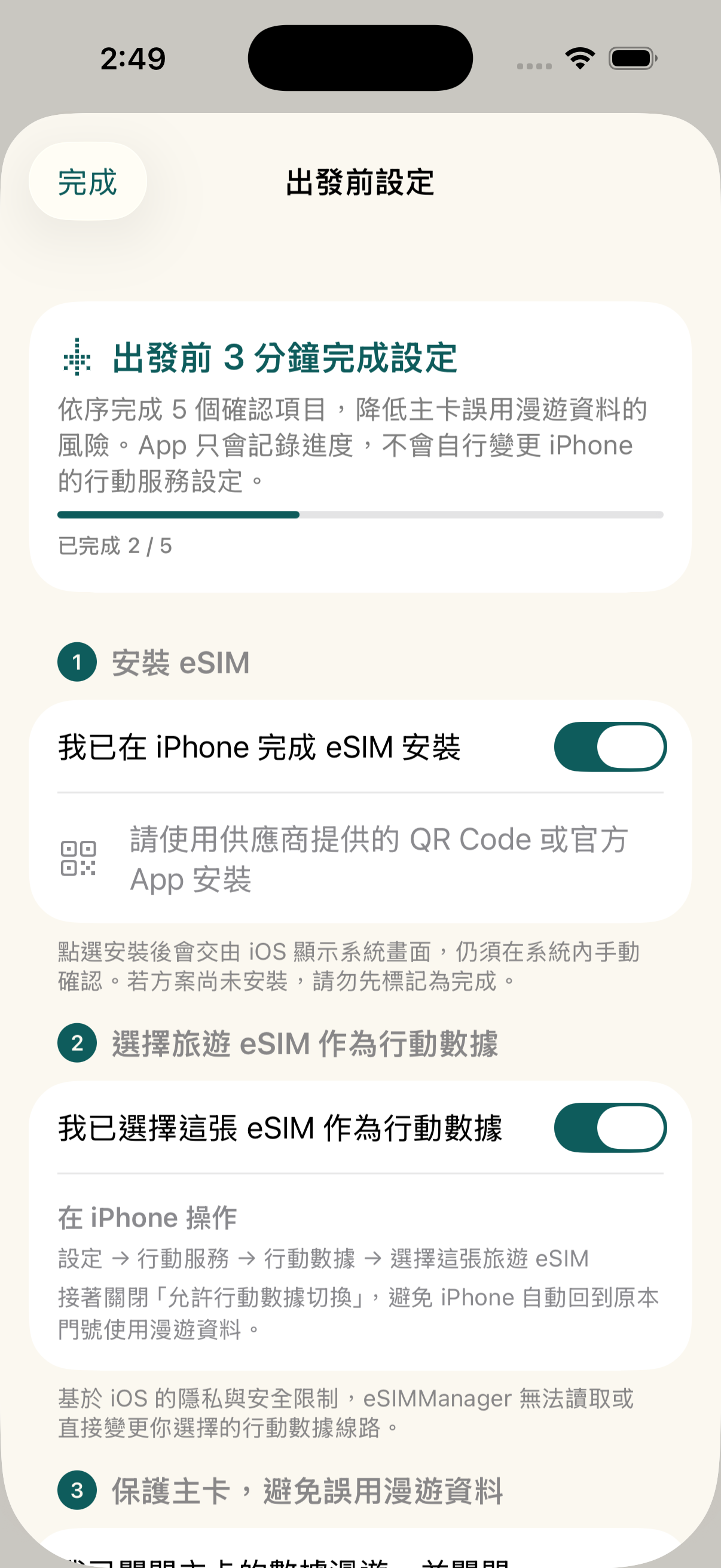
  • Five steps: Installation, Cellular Data, Master Card Protection, Roaming and Connectivity.
  • Primary Card Protection: Remind to turn off the main card data roaming and mobile data switching.
  • Set Path: Use the navigation path in iPhone Settings to help newbies check.
Tabi Préparation avant départ精靈

Camera, Album, PDF and Manual 4-in-1 Import

Supports import of common LPA QR codes, images, PDFs, and full LPA strings; recognition depends on certificate format, document content, and image quality.
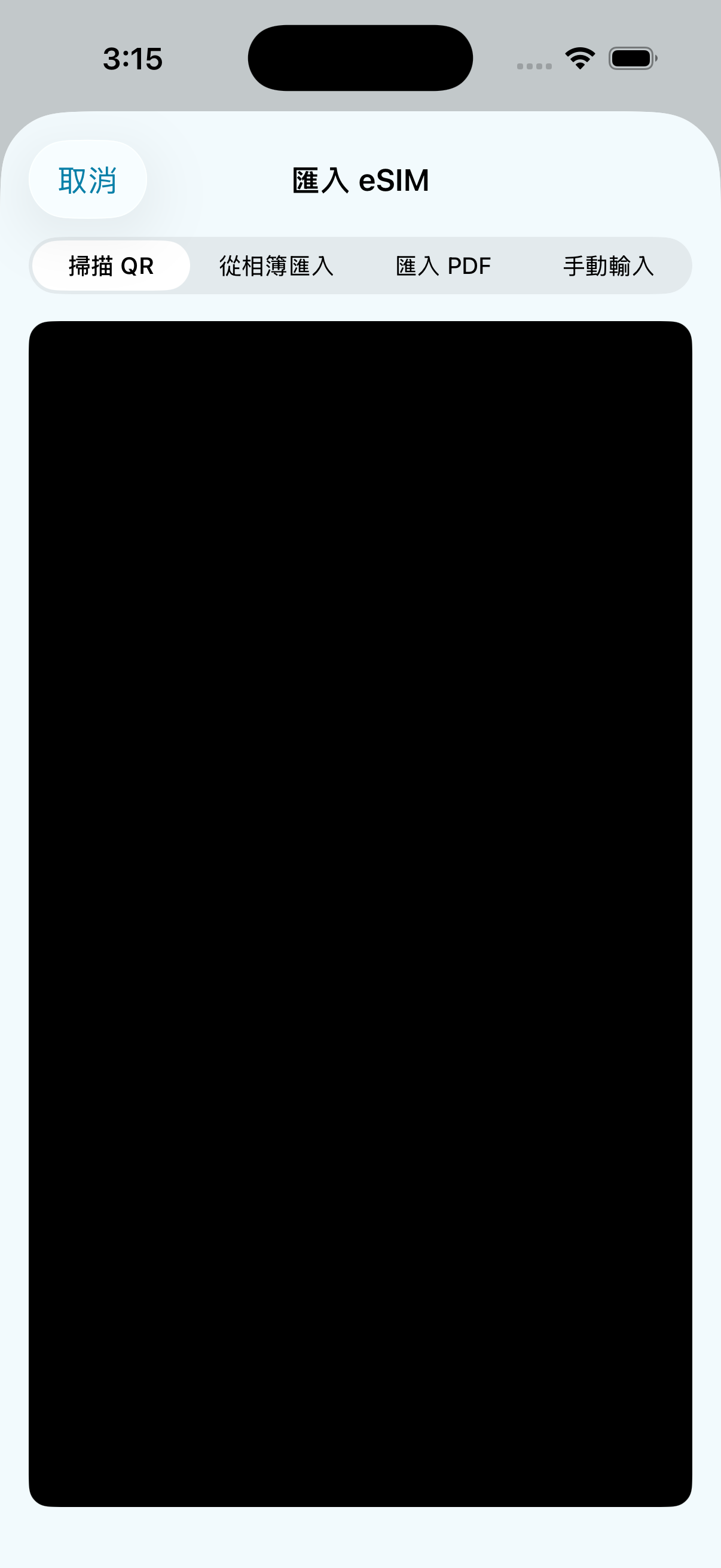
  • Camera Scanning: Aim for automatic parsing of paper or on-screen QR codes.
  • Album recognition: Read the QR code from the photo via the Apple Vision framework.
  • PDF Import: Directly select the PDF certificate document sent by the supplier.
  • Enter manually: Paste the full LPA activation code provided by the supplier.
匯入方式選單

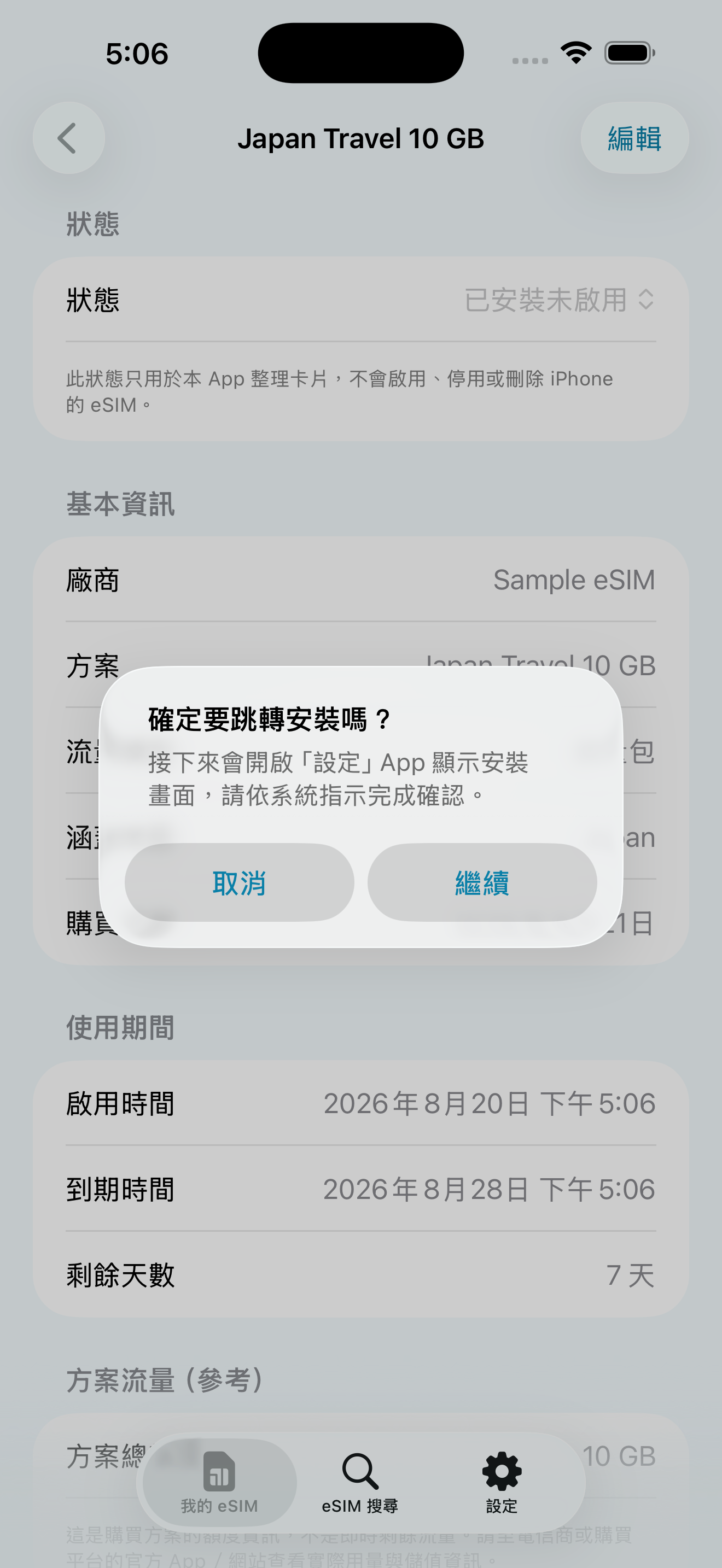
Open the iOS eSIM installation process

Lorsque les informations d’activation sont complètes et que l’appareil est compatible, vous pouvez essayer d’ouvrir le processus système d’installation eSIM d’Apple. L’utilisateur doit toujours confirmer manuellement sur l’écran iOS, et le résultat dépend d’iOS, de l’appareil, du réseau et du fournisseur.
  • Installation flow guide: Click the button to display the iOS eSIM installation screen.
  • Confirm manually: The app can't silently install, enable, or change your iPhone's mobile settings.
  • Conditions of use: Requires iOS 17.5+, eSIM-enabled iPhone, active information, and internet connection.
系統安裝與Confirm manually引導

Primary card protection to avoid misuse of roaming data

Make sure your primary card's “Data Roaming” and “Allow Mobile Data Switching” are turned off before you leave the country, reducing the risk of high roaming charges.

  • Master Card Data Roaming: Confirm deactivation in Settings > Mobile Services > Master Card.
  • Mobile data toggle: Confirm to turn off in Settings > Mobile Services > Mobile Data.
  • Will not change automatically: The app only provides onboarding and confirmation, and the setup is still done by the user on the iPhone.
Primary Card Protection設定引導

Choose a language you're familiar with in the app

You can switch the language of the app interface directly during your trip, or choose to follow the language of the iPhone system.
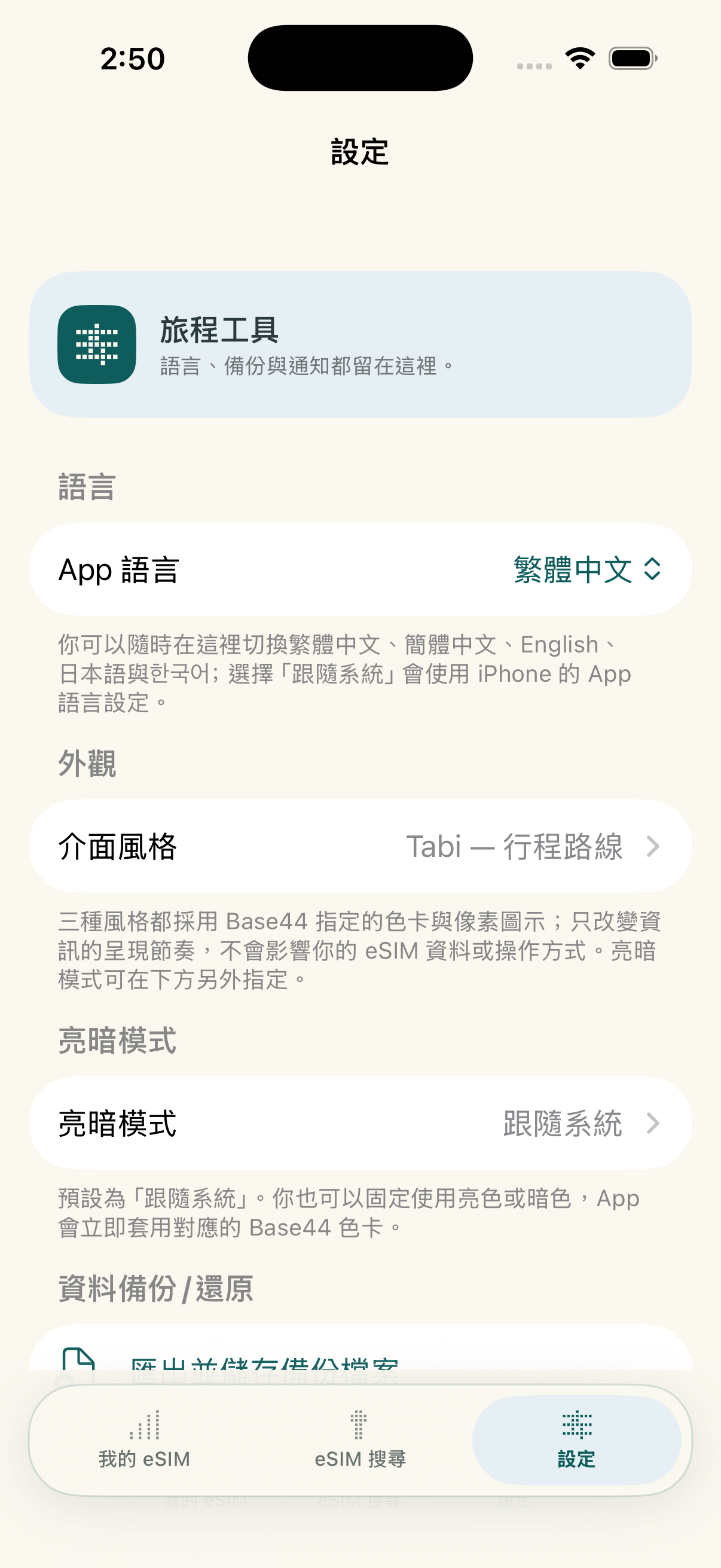
  • Traditional Chinese/Simplified Chinese: Supports frequently used interfaces for Taiwanese and Chinese-speaking travelers.
  • English/Japanese/: Supports language selection in key travel markets.
  • Follow the system: Displays automatically according to your iPhone's app language settings.
App 外觀與語言設定

Switching Phone Backup and Restore

You can export a JSON backup and import card records on a new device; when you set a password, the backup is encrypted with AES-GCM.
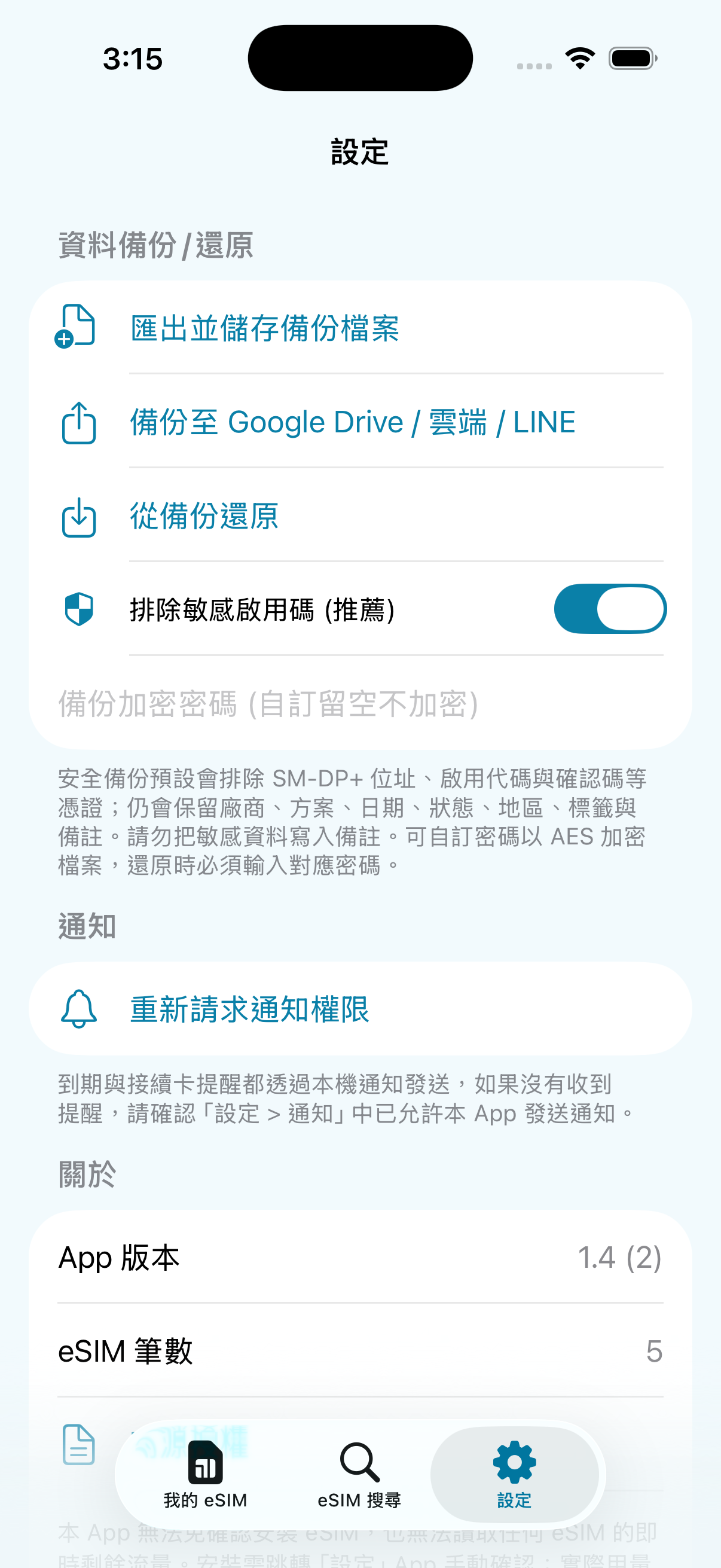
  • 🔐 Optional password encryption: After setting the password, it is encrypted with AES-256-GCM; backups without a password are not encrypted, please keep it properly.
  • 📁 Flexible storage: Can be sent in the File app, iCloud Drive, or AirDrop.
  • Sensitive information exclusion: The activation code is excluded by default; such backups restore the card history but cannot be used directly for system installation.
設定與備份分頁
Mode d’emploi

De la recherche d’une offre à la fin du voyage

Six étapes pour acheter, importer, installer, activer, vérifier l’usage et terminer proprement le voyage. Faites défiler horizontalement pour voir chaque étape.


女性旅人用 eSIMManager 掃描供應商 QR Code 的插圖
2Scan import after receiving QR codeUse your app camera to add activation info to your card history
eSIMManager 確認開啟 iOS eSIM 安裝流程的實機畫面
3Once confirmed, the iOS installation process will be triggeredSystem installation still needs to be done manually on the iPhone setup screen
女性旅人抵達目的地後準備啟用旅遊 eSIM 的插圖
4When you arrive, follow the instructions to activateConfigure data roaming or enable services based on plan rules
女性旅人旅行中查看行動流量估算的插圖
5See traffic estimates while travelingOpen the card if in doubt to check the progress of the local estimation
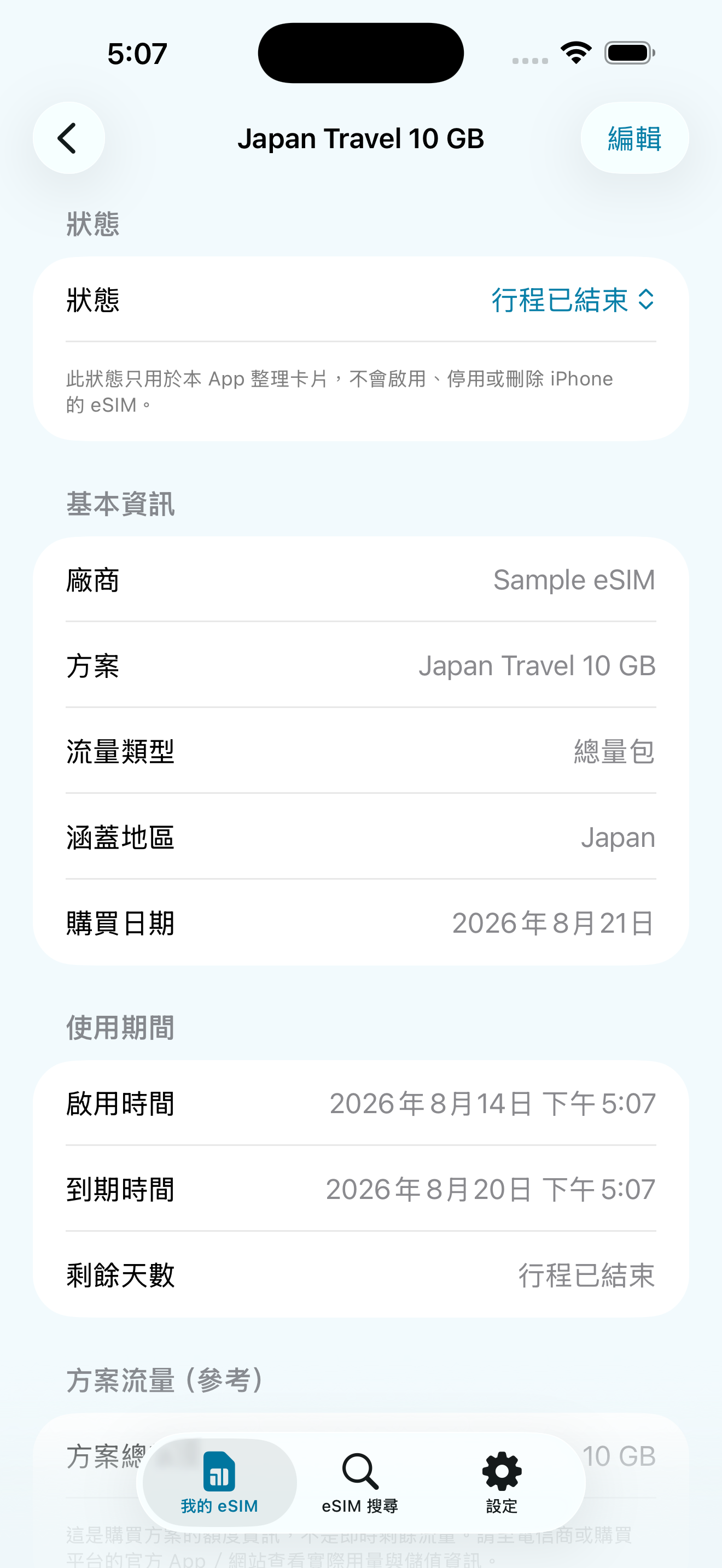
eSIMManager 顯示行程已結束的實機畫面
6Trip ended, indicating that the trip has endedKeep records for future reference and organization
  1. Pre-Departure: Installation and Master Card Protection CompleteConfirm that the travel eSIM is installed and selected as mobile data, and close the main card "Data roaming" and "Allow mobile data switching".
  2. Upon arrival: Enabled by supplier rulesSome programs must be activated upon arrival, or data roaming for travel eSIM must be turned on.
  3. On trip: Confirm connection to start local estimationTraffic figures are device-side estimates, not real-time carrier balances.
Important: eSIMManager does not make changes to the iPhone's mobile data lines, roaming settings, or carrier account balances; each step is confirmed by the user according to the instructions of the iPhone and the supplier.
eSIMManager Préparation avant départ精靈實機畫面
Real-world app screens: pre-departure, post-arrival, and on-trip confirmations.
Huit langues

You can switch between Traditional Chinese, Simplified Chinese, English, Japanese, Japanese, or choose to follow the iPhone system language in the app.
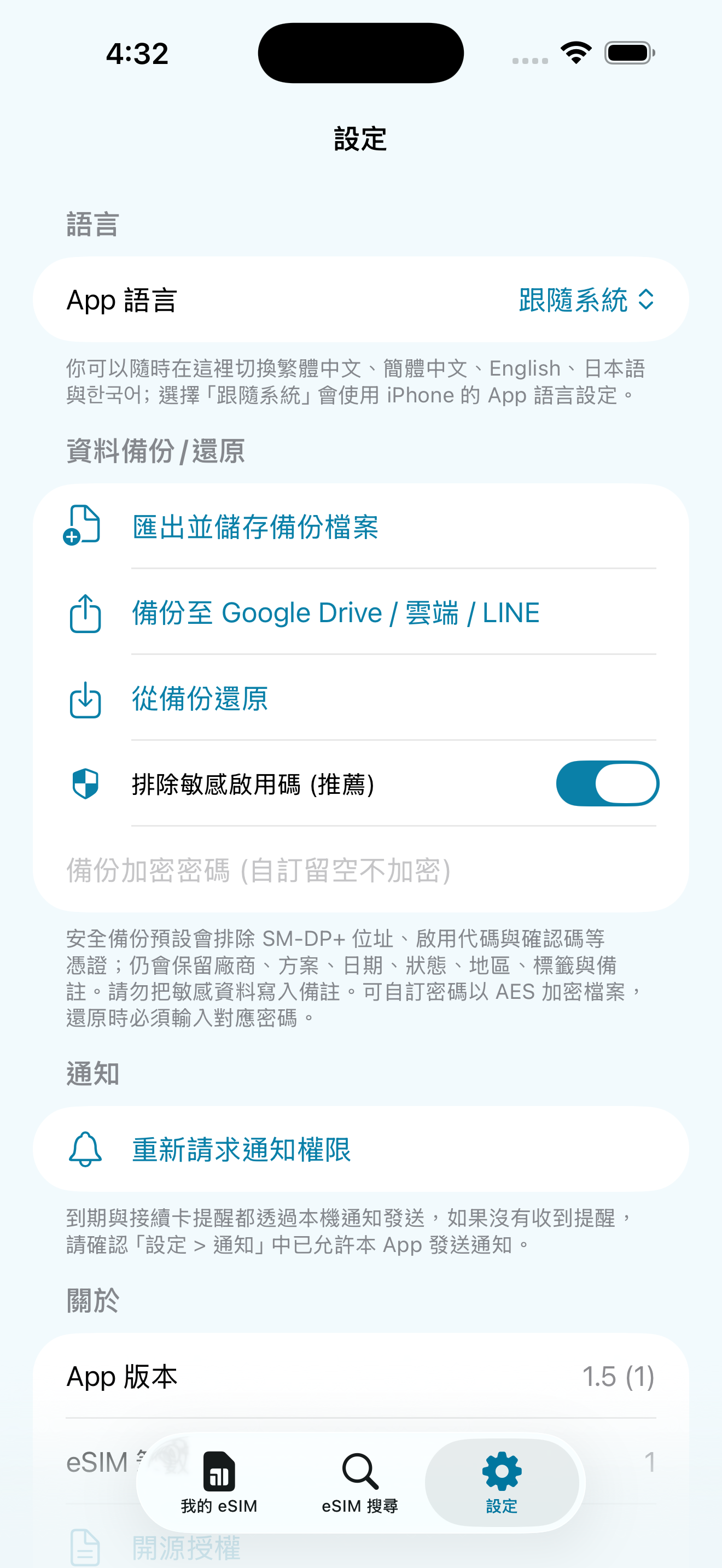
eSIMManager App 語言設定畫面
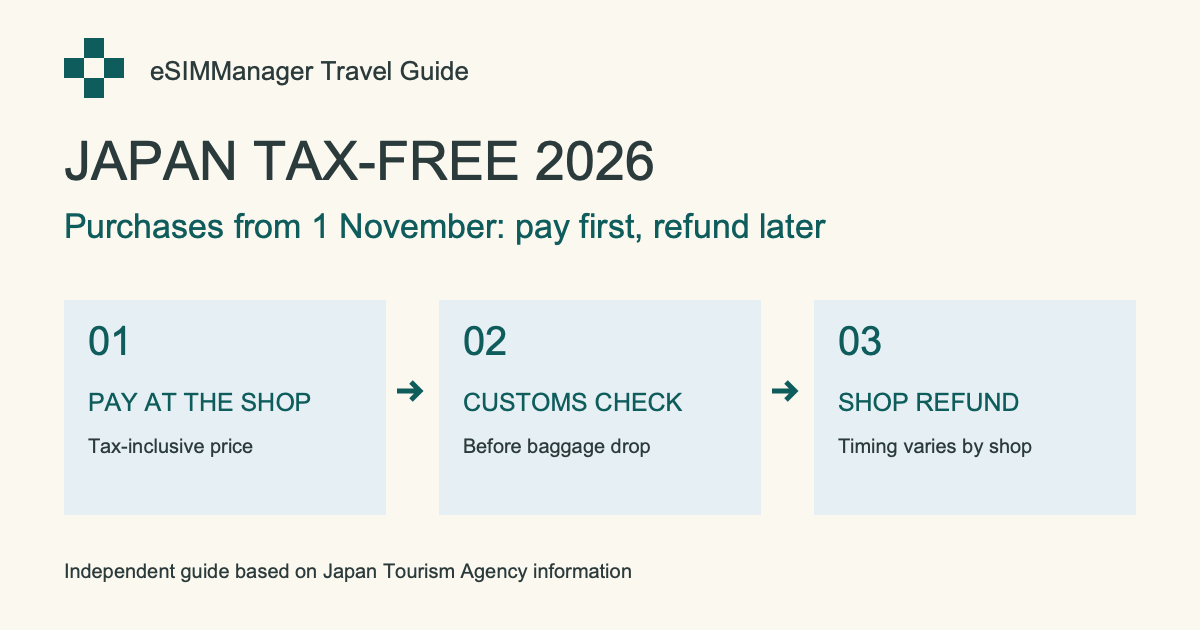
Actualités voyage au Japon · 2026/11/01

Achats détaxés au Japon : ce qui change en novembre 2026

Dates d’achat, contrôle douanier, bagages et remboursement : notre guide fondé sur les sources officielles.

Lire le guide en anglais →

Acheter une eSIM / carte de données voyage

Vous choisissez l’offre, nous aidons à l’organiser

Obtenez d’abord le QR Code ou les informations d’activation LPA, puis utilisez eSIMManager pour les organiser et suivre les réglages. Les liens ci-dessous mènent vers des boutiques et plateformes externes comme Klook, KKday, Airalo et Trip.com ; les forfaits, prix, disponibilités et règles d’activation réels dépendent de chaque plateforme.

Recommandation d’achat eSIM Shopee shrimp skin shopping

Flying Show Shop

Browse eSIM and travel card plans; confirm your destination, days of use, how to activate, and item descriptions before placing your order.

GO TO store

The above are the official advertisements or referral links provided by external stores and platforms; some of the links may contain referral/profit sharing parameters. The actual price, promotion and service content are subject to the pages of each platform. After clicking, you will leave the eSIMManager website, and the transactions, goods and services are provided by each store or platform in accordance with its terms.

Transparence technique et limites

In order to protect the user's right to know and to align the system with how it really works, we would like to explain the technical rationale and limitations of this app:

"Traffic is device-side estimation" Technical Instructions

The mobile traffic statistics of this app are collected through the Darwin BSD underlying getifaddrs interface, reading local pdp_ip* The cumulative number of transceiver bytes in the mobile data channel. This isDevice-side network traffic estimation reference: Unable to identify which eSIM is actually being used, traffic from other SIMs, interface resets, data waiver offers, and billing cycles can all cause discrepancies. Estimates are updated when the app returns to the outlook, not the carrier's live bill; actual remaining balance is subject to the carrier's official system.

iOS System Installation Process and Permission Regulations

En raison des règles de sécurité d’iOS, les apps tierces ne peuvent pas installer une eSIM silencieusement en arrière-plan ni modifier votre ligne de données mobiles. Le bouton « Démarrer l’installation » tente seulement d’ouvrir le processus système d’Apple ; l’affichage et la réussite dépendent de la version iOS, de l’appareil, du réseau, des informations d’activation et du fournisseur. Vous devez toujours confirmer manuellement sur l’écran système.

Partenariats

Working together to create a better travel network card ecosystem

eSIMManager focuses on providing pure, high-quality local management tools. We welcomeCarriers, eSIM publishers, travel platforms, and partnersNegotiate appropriate leads, brand exposure, and content collaboration.

Carriers and network card issuers

Negotiate ways to collaborate on standard LPA QR Code compatibility information, brand exposure, and exclusive offers.

Travel & Platform Partners

Travel platform leads, co-branding campaigns, and diverse business project proposals.

Business Cooperation Inquiries

Fill out the form below or send it directly to the official mailbox and we'll get back to you as soon as we can.

Asked Questions

Have questions about using? Take a look here

No. eSIMManager is a management and configuration facilitator that does not issue eSIM and does not restrict which vendor you buy from. As long as the supplier provides valid QR code or LPA activation information, you can organize, install, and configure according to the app and the supplier's instructions. External referral links on the website may include revenue parameters, but transactions, prices, inventory and after-sales service are provided by the supplier.
En raison des limites de sécurité d’iOS, aucune app tierce ne peut installer directement une eSIM en arrière-plan. Le bouton tente seulement d’ouvrir le processus système d’Apple ; veuillez confirmer manuellement sur l’écran iOS. Si le processus ne s’affiche pas ou échoue, vérifiez iOS 17.5+, la connexion réseau, la validité des informations d’activation et la prise en charge par le fournisseur, ou utilisez le QR Code / l’app officielle du fournisseur.
Please ensure that the QR code or document contains valid LPA activation information (common content is LPA:1$ Beginning). Image quality, supplier format, or protected PDF may affect identification; use Manual Input instead to paste the complete LPA string provided by the supplier, or request a standard certificate from the supplier.
Normal. This function counts the throughput of the iPhone's mobile data interface, and it is not possible to identify which eSIM is actually used; the amount of other SIMs, interface resets, traffic-free offers, and different billing cycles may cause a gap. Estimates are only updated when the app returns to the outlook and are for travel reference only; the exact balance is subject to the carrier's official system.
Cards are not automatically uploaded to the cloud in this app. JSON can be exported before switching over to Configure ➔ Data Backup; passwords are encrypted. The default backup excludes the activation code, so you can restore the card history, but it may not be possible to reinstall eSIM directly; choose whether to include sensitive information and save the file properly if necessary.

Choose your plan and travel with peace of mind

Download eSIMManager for free today and organize every travel eSIM into a clear, secure departure flow.
Nos autres applications
Card Master · 人脈大師

Card Master · 人脈大師

Organisez vos voyages et gardez vos contacts à portée de main.

Transformez vos cartes de visite papier en coordonnées modifiables et faciles à rechercher. Numérisez-les, classez-les par groupes et protégez vos cartes privées.

  • Numérisation de cartes de visite
  • Groupes et recherche
  • Cartes privées et sauvegarde chiffrée

iPhone · Interface en chinois traditionnel · App Store de Taïwan. Téléchargement gratuit avec publicités et achats intégrés. Un achat unique supprime définitivement les publicités et débloque les fonctions professionnelles. Vérifiez les informations reconnues sur la carte originale.
Voir sur l’App Store ↗